Website redesign checklist: how to turn an old site into better leads
A practical guide for business owners who suspect their website is costing them inquiries and want to rebuild with a clear commercial goal.
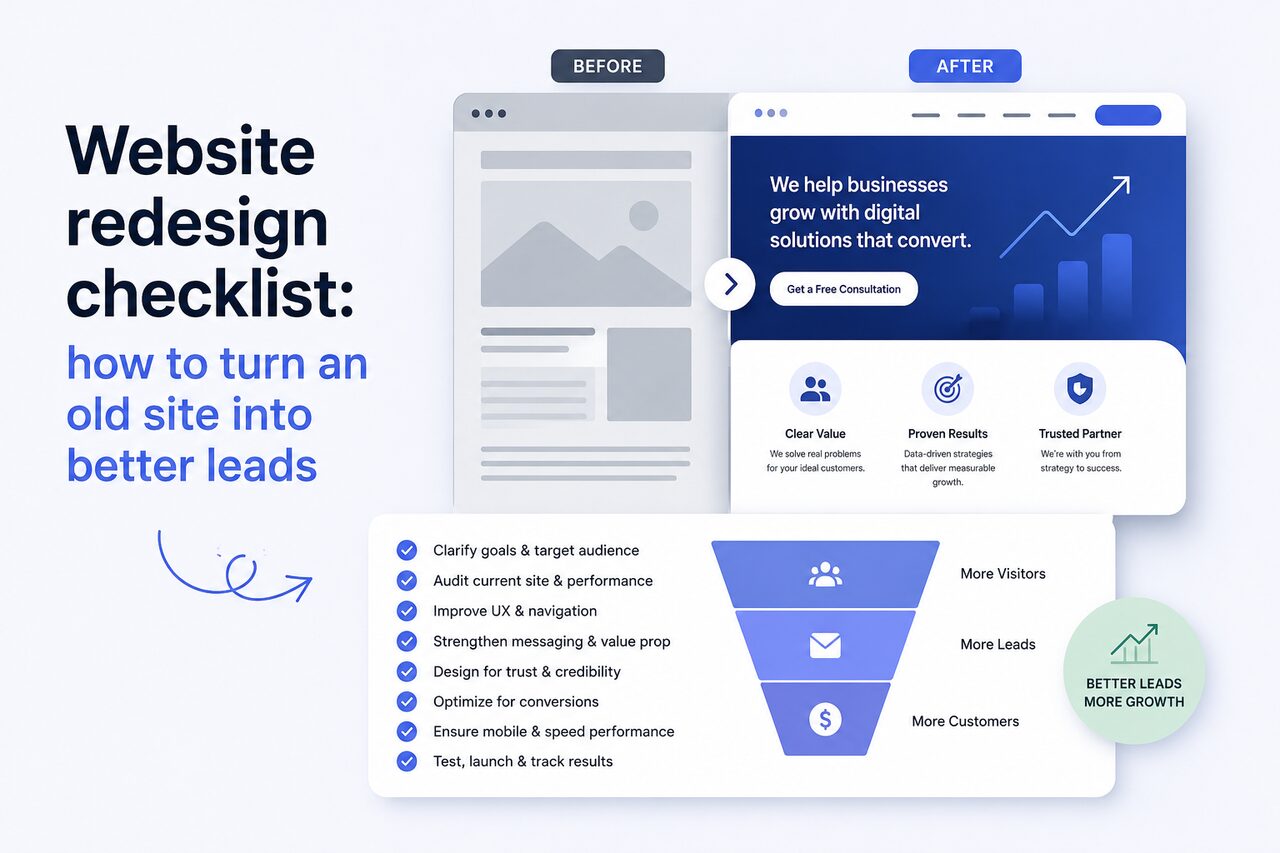
A website redesign is easy to start for the wrong reason. The site feels dated. A competitor launched something cleaner. The homepage no longer reflects the business. Those are valid signals, but they are not enough to justify the work on their own.
For a business website, the real question is commercial: is the current site helping the right people understand the offer, trust the company, and take the next step? If the answer is no, a redesign should not be treated as a fresh coat of paint. It should be treated as a rebuild of the path from visitor to inquiry.
That path is where most redesigns either earn their money or waste it.
Start with the job of the site
Before talking about colors, animation, or layout, define what the site is supposed to do. A service business usually needs qualified inquiries. A product company may need demo requests, trial signups, or partner conversations. A local company may need calls and map visits. A founder may need enough credibility for investors, candidates, and early customers.
Write the main job in one sentence: "The site should bring more qualified consultation requests from established businesses" is much stronger than "The site should look modern."
That sentence helps every later decision. It affects the navigation, the pages you keep, the pages you remove, the wording above the fold, the calls to action, and the evidence you show. Without it, the redesign becomes a long debate about taste.
Audit what already works
Do not throw away the old site blindly. Even a weak site may have pages that rank, backlinks that matter, or service descriptions that bring inquiries. Before rebuilding, collect the facts.
Look at the pages that get organic traffic. Look at the pages people visit before contacting you. Check which search terms already bring impressions. Review form submissions and ask which leads became good customers. If the site has analytics, note where visitors drop off. If it does not, at least review email inquiries and sales notes from the last six to twelve months.
The goal is not to become a data analyst. The goal is to avoid deleting the few assets that already work. A redesign that breaks existing search visibility can feel beautiful and still harm the business.
Fix the message before the interface
Many old websites are not losing leads because of design alone. They are losing leads because the offer is vague.
A visitor should quickly understand who you help, what problem you solve, what outcome they can expect, and why they should trust you. That sounds basic, but many websites hide the answer behind abstract claims: "digital transformation," "innovative solutions," "tailored experiences," "next generation platform." Those phrases are easy to approve internally and hard for customers to act on.
Clear messaging usually sounds more specific: "Custom booking software for clinics that need fewer phone calls" or "Fast service websites for companies that need more qualified project inquiries." The visitor can immediately decide whether the page is relevant.
Strong redesigns often begin as writing projects. The design then makes the message easier to scan, compare, and trust.
Make service pages do real sales work
If your business sells more than one service, each important service deserves its own page. A single "Services" page with short blurbs is rarely enough for search or decision-making.
A useful service page answers the questions a serious buyer already has. What exactly is included? Who is it for? What problems does it solve? What does the process look like? What affects the price? How long does it take? What proof can you show? What should the visitor do next?
This structure is good for people and for search. It lets each page focus on a clear topic, use natural language that customers actually search for, and handle objections before a sales call. It also gives you better links to share when someone asks about one specific service.
Build proof into the journey
Proof should not live only on a portfolio page. Visitors need confidence while they are evaluating the offer.
Good proof can be a case study, a short project result, a before-and-after comparison, a testimonial, a process detail, a screenshot, or a specific metric. If you cannot publish client names, explain the context without exposing private information: industry, problem, constraints, approach, and result.
The important part is specificity. "We care about quality" is not proof. "We rebuilt a slow clinic website, reduced page weight, clarified service pages, and made appointment requests easier to complete" is much more believable.
Trust grows when the site shows how you think, not only what you finished.
Remove friction from the inquiry path
A redesign should make the next step obvious without making the page feel pushy.
Check the full path from the homepage to the contact form. Is the primary call to action clear? Does every service page lead somewhere useful? Does the contact page ask for the right amount of information? Does the form work well on a phone? Can someone contact you if they are not ready to write a detailed brief?
The best inquiry forms are short enough to complete and structured enough to qualify the lead. Ask for contact details, project type, goal, budget range if useful, and a short message. Avoid forcing the visitor through a long questionnaire before trust exists.
Also make sure the site gives cautious buyers a softer step. Some people are not ready to book a call, but they will read pricing guidance, process details, or preparation checklists. Those pages keep them moving.
Treat performance as part of the design
Speed is not a technical extra. It changes how the site feels and how many people stay long enough to evaluate the business.
A redesign should include image optimization, clean front-end code, sensible font loading, mobile-first layouts, and restraint with heavy scripts. Animation can support a premium feel, but it should not make pages sluggish. Large background videos, oversized images, and unnecessary third-party widgets often create a site that looks impressive in a presentation and feels slow in real life.
Performance also matters because many serious visitors arrive on mobile, on imperfect connections, between meetings, or while comparing several providers. A fast site respects their attention.
Protect search equity during the rebuild
If URLs change, plan redirects. If titles and descriptions change, do it intentionally. If old pages are merged or removed, understand what traffic they currently receive. If the site has multilingual pages, make sure each language has the matching version and correct alternate links.
This is where a redesign needs engineering discipline. Launching the new site is not just uploading new pages. It includes preserving valuable URLs, checking broken links, submitting updated sitemaps, testing metadata, and verifying that analytics still work.
The most expensive redesign mistakes are often invisible on launch day. They show up weeks later as lost traffic, missing leads, or forms that nobody tested.
Decide what the business can maintain
A website should not depend on a developer for every small update. If the business publishes articles, adds case studies, changes prices, or updates services, the content model should support that.
That does not mean every site needs a complex CMS. It means the editable parts should match the way the business actually works. A small service studio may only need editable insights and case studies. A growing company may need reusable service blocks, team pages, location pages, and landing pages.
Plan this before development. Retrofitting content management later is usually more expensive than building the right structure from the start.
Ask better questions before hiring
When speaking with a developer or studio, do not ask only for a price. Ask how they protect existing search traffic, how they plan the content structure, what happens after launch, how they test forms and performance, and what they need from you before work starts.
You want a partner who talks about outcomes, tradeoffs, and maintenance. A good redesign proposal should explain the scope clearly: pages, content responsibilities, design direction, development approach, SEO basics, analytics, launch support, and what is excluded.
The quote should feel boringly clear. Ambiguity is where redesign budgets expand.
A good redesign is a business asset
The best redesigns make the company easier to understand and easier to buy from. They create sharper positioning, cleaner service pages, stronger proof, faster loading, better mobile experience, and a simpler route to contact.
That kind of site does more than look current. It supports sales calls, improves referrals, gives search engines better pages to understand, and gives customers fewer reasons to hesitate.
If your old site is not doing that, the opportunity is not just a nicer design. The opportunity is a website that finally works as part of the business.
Related reading
Have a project in mind?
Get an honest, fixed quote before any work begins.