Core Web Vitals: why speed, stability, and UX affect leads
Core Web Vitals are not abstract scores. They reflect how quickly visitors see, trust, and interact with your website on real devices.
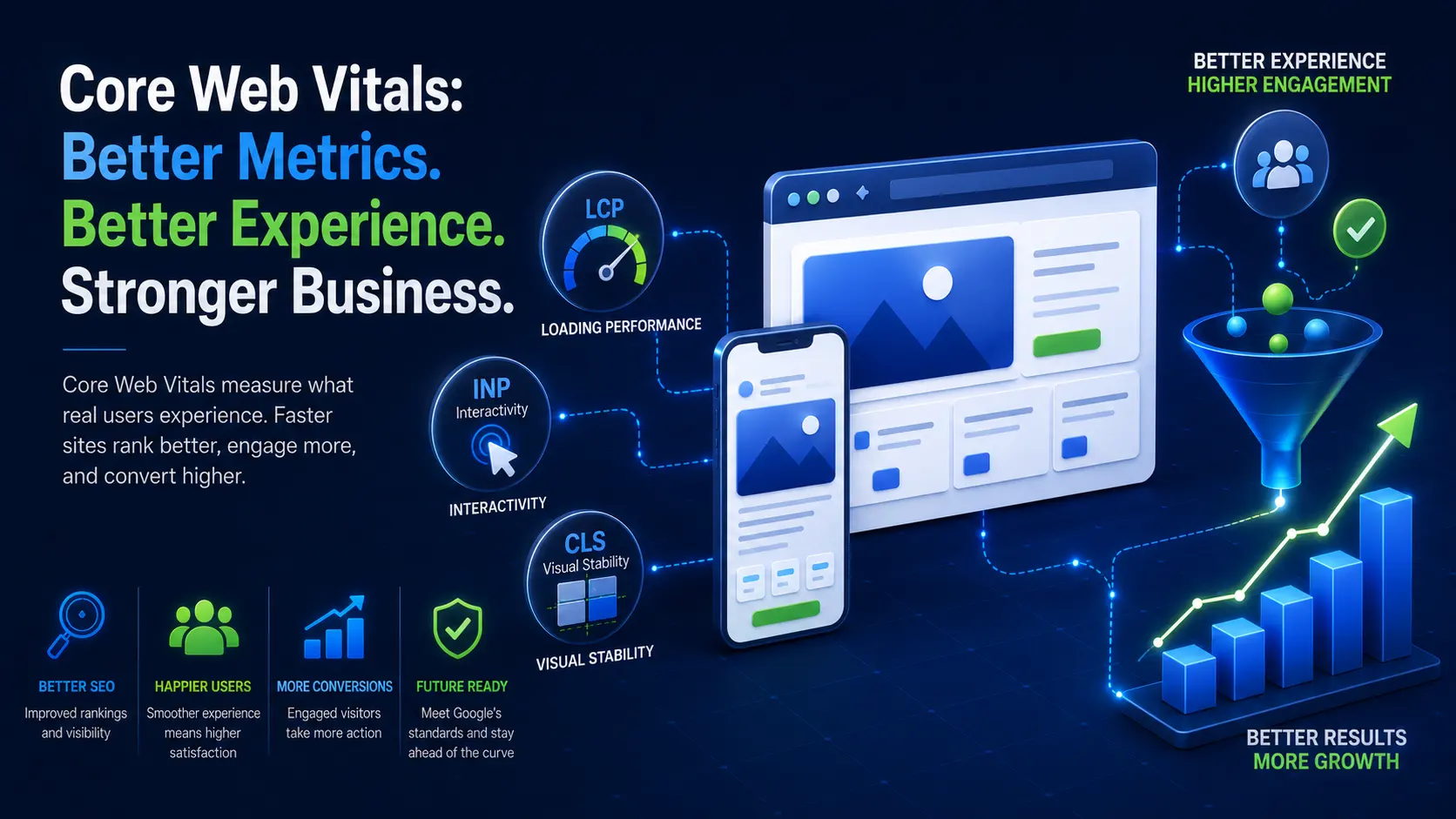
Core Web Vitals are often discussed as if they belong only to developers and SEO specialists. That framing misses the point. They are business signals because they describe how the website feels to real visitors: how quickly the main content appears, how responsive the page is when someone taps or clicks, and whether the layout jumps while the person is trying to read or act.
Those moments affect trust.
A visitor comparing service providers does not know your JavaScript bundle size. They know the page felt slow. A potential customer does not know the image lacked dimensions. They know the button moved just as they tried to tap it. A founder reviewing a product studio does not inspect your rendering strategy first. They feel whether the site behaves like it was built by people who care about details.
That is why performance belongs in business conversations, not only technical audits.
What the metrics measure
The current Core Web Vitals are Largest Contentful Paint, Interaction to Next Paint, and Cumulative Layout Shift. Google’s web.dev guidance describes them as metrics for loading performance, responsiveness, and visual stability.
Largest Contentful Paint, or LCP, asks how quickly the main visible content appears. On many business pages, that is a hero heading, image, or large text block. If LCP is slow, the visitor spends too long waiting for the page to feel useful.
Interaction to Next Paint, or INP, asks how responsive the page feels after interaction. If a menu, form, filter, or checkout action reacts slowly, the visitor experiences hesitation. That hesitation can make even a polished interface feel unreliable.
Cumulative Layout Shift, or CLS, asks whether visible content moves unexpectedly. Layout shift is not only annoying. It causes misclicks, breaks reading flow, and makes the site feel less stable than the company behind it should be.
Why this matters for lead generation
Lead generation depends on a chain of small decisions. The visitor must stay long enough to understand the offer, believe the company can help, find relevant proof, and take the next step. Performance problems weaken that chain before copy or design can do their job.
Slow pages lose impatient visitors. Unresponsive pages make forms feel broken. Layout shifts create tiny moments of doubt. None of these problems need to be catastrophic to reduce inquiries. A site can "work" and still leak good leads because every interaction feels heavier than it should.
This is especially important for small businesses. A local clinic, consultant, contractor, agency, or ecommerce brand may not have thousands of visits to waste. If the website gets a modest amount of qualified traffic, every lost inquiry matters. A faster site does not guarantee more revenue, but it gives the message and offer a fair chance.
For broader conversion planning, pair this with what makes a small-business website convert. Performance is one part of the path from visitor to inquiry.
The common causes of poor scores
Most performance issues come from ordinary decisions, not exotic engineering mistakes. Oversized images are the classic example. A beautiful photo uploaded at full camera size may look fine on a fast office connection and punish mobile visitors.
Fonts are another common source. Multiple font families, many weights, remote loading delays, and poor fallback choices can slow rendering or cause text shifts. Third-party scripts can be worse: analytics, heatmaps, chat widgets, consent tools, ad pixels, review widgets, map embeds, and marketing automation can all compete for the main thread.
Design choices also matter. Heavy animation, video backgrounds, large sliders, and complex page builders can make the browser do extra work before the visitor receives value. The issue is not that ambitious design is bad. The issue is that performance has to be designed with the interface, not bolted on after launch.
The technical SEO checklist covers how these decisions connect to crawlability, metadata, and implementation quality.
Why lab scores and real data differ
Business owners often run a page through a test tool once and treat the score as absolute truth. That can mislead the project.
Lab tools are useful because they create repeatable test conditions. They help developers compare changes, catch obvious regressions, and debug specific issues. But real visitors use different phones, browsers, networks, locations, and behavior patterns. Field data matters because it reflects actual visits over time.
Google Search Console’s Core Web Vitals report groups URL performance using real-world usage data when enough data is available. PageSpeed Insights can show both lab and field views. A smaller website may not always have enough field data for every URL, but the principle remains useful: optimize for the visitor, not for a single screenshot of a score.
The right workflow is measure, identify the limiting factor, fix the highest-impact cause, and remeasure. Guessing rarely beats evidence.
How performance changes project scope
Performance is cheaper when it is included from the start. If a new website or app is planned with image strategy, rendering strategy, font loading, caching, component discipline, and script governance, the build can stay fast without heroic cleanup later.
It becomes more expensive when the site is already built on fragile foundations. A slow page builder, bloated theme, conflicting plugins, uncompressed media library, and scattered tracking scripts can turn a simple "make it faster" request into a modernization project.
That does not mean every old site needs a full rebuild. The article on legacy website and app modernization explains how to decide between repair, rebuild, and replacement. For performance specifically, the first pass should separate quick wins from structural limits. Compressing images is a quick win. Replacing an architecture that sends too much JavaScript to every page is a deeper decision.
What a serious developer should check
A serious performance pass starts with the pages that matter most: homepage, service pages, product categories, pricing, checkout, contact, and high-traffic articles. For each page, inspect the largest visible element, render-blocking resources, JavaScript cost, image sizes, font behavior, layout shifts, server response time, and third-party scripts.
Then connect those findings to business reality. If the contact form is slow to respond, fix that before polishing a rarely visited animation. If product category images are oversized, fix the image pipeline before arguing about a one-point score change. If the homepage relies on a huge video that delays the first useful content, decide whether that video is earning its cost.
Performance work should end with measurable outcomes and a short explanation the business can understand. "We reduced LCP by optimizing the hero image and preload strategy" is useful. "We got a better score" is less useful unless it explains what changed for visitors.
Performance and SEO agencies
SEO agencies often diagnose performance issues but need development support to ship the fixes. That work requires care because performance changes can affect design, analytics, content management, and tracking.
For example, removing a script may improve speed but break a campaign report. Lazy-loading images may help below the fold but hurt LCP if applied to the hero image. Deferring JavaScript can improve responsiveness but break interactive components if dependencies are ordered poorly.
This is why implementation partnership matters. A developer who understands SEO can ask the right questions before changing production behavior. The article on when SEO agencies need a development partner goes deeper into that relationship.
What good feels like
A good website does not need to feel stripped down. It needs to feel immediate, stable, and calm. The visitor sees useful content quickly. Buttons respond when touched. Text does not jump. Forms do not lag. Navigation does not fight the user. Images look sharp without dragging the page down.
That experience supports every commercial goal: more qualified inquiries, better ecommerce browsing, stronger startup credibility, and more trust in the team behind the product.
Core Web Vitals are useful because they give names to parts of that experience. The deeper goal is simpler: build a site that respects the visitor’s attention.
Have a project in mind?
Get an honest, fixed quote before any work begins.