Responsive website, PWA, or mobile app: how to choose
Mobile strategy should follow user behavior, business goals, budget, and maintenance reality instead of defaulting to an app.
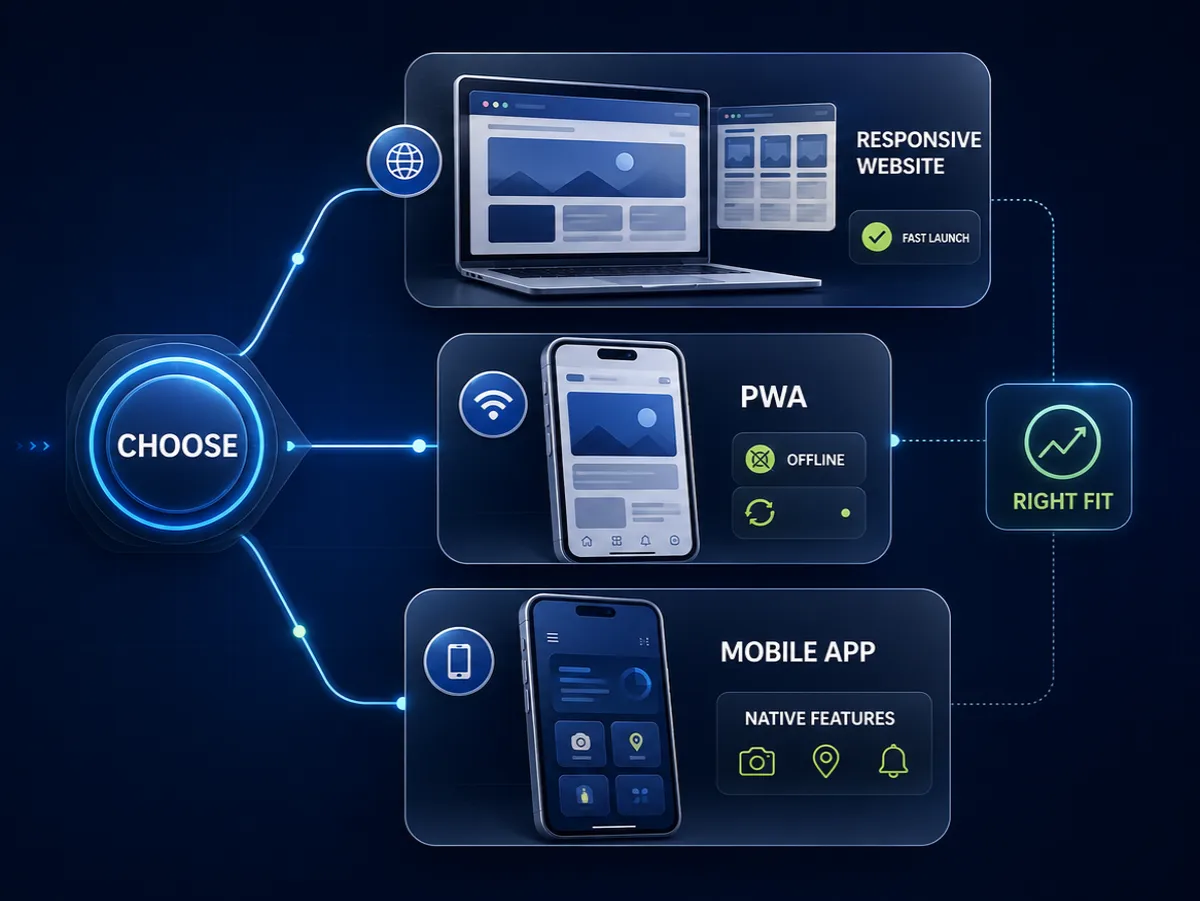
"We need an app" is one of the most expensive assumptions a business can make before understanding the problem. Sometimes a native mobile app is the right answer. Often, a responsive website or progressive web app is faster, cheaper, easier to maintain, and more than enough for the user behavior that actually exists.
The choice should not start with technology. It should start with the job users need to complete on a phone.
A restaurant needs menus, reservations, location, and calls. A clinic needs service pages and appointment requests. A service company may need a quote form, client upload flow, or portal. A startup may need a mobile-first product with accounts, notifications, and recurring use. These are different problems.
Start with frequency and context
Native apps make more sense when users return often, need account-based functionality, benefit from push notifications, require device features, or use the product in a context where speed and persistence matter.
A banking app, delivery app, fitness tracker, field service tool, social product, or internal operations app may justify native development because the user returns regularly and the app becomes part of a workflow.
Many small-business needs are different. A potential customer may visit once, compare services, send an inquiry, book an appointment, or buy a product. Asking that person to install an app before trust exists creates friction. A responsive website is usually better because it is instantly reachable from search, social, ads, maps, email, and referrals.
The distinction is similar to website vs web app: build the tool that matches the job, not the label that sounds most advanced.
Responsive websites are the baseline
Every serious website should work well on mobile. That is not a special feature. It is the baseline.
Responsive development means the layout adapts to smaller screens, touch targets are usable, text is readable, forms are manageable, images are optimized, and navigation is clear. It also means performance is treated carefully because many mobile visitors are on imperfect connections and mid-range devices.
For small businesses, a strong responsive website often solves the real commercial problem: visibility, trust, and inquiries. It can include booking, ecommerce, calculators, content, case studies, and contact flows without requiring installation.
If your current site technically fits on a phone but feels cramped, slow, or confusing, the problem is not solved. The website redesign checklist can help decide whether to improve the current foundation or rebuild it properly.
PWAs sit in the middle
A progressive web app, or PWA, can add app-like behavior to the web: installability, offline support in some cases, caching, faster repeat visits, and a more focused interface. It still lives on the web, so users can open it through a link.
PWAs are useful when the product needs more than a marketing site but does not need full native app store distribution. Examples include internal dashboards, field forms, learning tools, simple booking products, event tools, lightweight client portals, and repeat-use service apps.
The tradeoff is that PWAs still require product thinking. Offline behavior, caching rules, authentication, updates, and device support need planning. A PWA is not a magic switch. It is a web application with a mobile-friendly delivery model.
For founders planning an MVP, a PWA can be a strong first version because it tests user behavior without funding separate iOS and Android builds. Pair this decision with how long it takes to build an MVP.
Native apps are justified by real needs
Native mobile apps make sense when the product depends on app-store presence, deep device APIs, strong offline behavior, background processes, high-performance interactions, push notifications, Bluetooth, camera-heavy workflows, location tracking, health integrations, or frequent authenticated use.
They also make sense when the business model depends on being present on the user’s home screen and users have enough motivation to install.
The cost is not only the first build. Native apps need ongoing maintenance across platforms, operating system updates, app store review, crash monitoring, analytics, release management, and support. A small business that barely updates its website should be careful before owning two mobile codebases.
Sometimes the right roadmap is responsive website first, PWA second, native app later if usage proves the need. That keeps spending tied to evidence.
Consider acquisition
How will users find the experience? This question often decides the strategy.
Websites are strong for acquisition because search engines can index public pages. Service pages, product pages, articles, pricing guides, and case studies can all attract visitors. A native app store listing can help in some markets, but it rarely replaces web visibility for local services or B2B offers.
Startups sometimes make the mistake of building a product interface while leaving the public website vague. Then users cannot understand the value before signup. Even a great app needs a public acquisition layer.
The article on startup technical foundation covers why product development and public marketing pages should be planned together.
Think about content and SEO
If the business relies on search, the web layer matters. A native app’s internal screens are not a replacement for crawlable content. People searching for services, products, pricing, comparisons, or answers need public pages.
This is especially important for ecommerce and local service businesses. Product categories, service pages, blog posts, location pages, and technical SEO foundations help users discover the business before they ever consider installing anything.
The technical SEO implementation checklist explains how crawlability, canonical URLs, sitemaps, metadata, structured data, and performance support visibility. Mobile strategy should not accidentally hide valuable content inside an app.
Budget for maintenance
A responsive website has one main codebase. A PWA usually has one main codebase plus app-like concerns. Native development may require separate iOS and Android work, or a cross-platform framework with its own tradeoffs.
Maintenance should be part of the decision. Who updates dependencies? Who tests new OS versions? Who monitors crashes? Who handles account issues? Who updates app store screenshots and privacy information? Who keeps push notifications compliant and useful?
For many businesses, the maintenance cost of a native app is harder to justify than the build cost. If the app will not be actively improved, it may become stale quickly.
The guide on hiring a senior freelance developer can help evaluate whether someone is prepared to explain these long-term tradeoffs, not just sell a build.
A practical decision rule
Choose a responsive website when users mostly need information, trust, search discovery, and simple actions. Choose a PWA when users need repeat interactions, accounts, faster return visits, or light app-like behavior without app-store complexity. Choose a native app when device features, frequent use, push, offline behavior, or platform expectations are central to the product.
The right choice is the one that helps users complete the task with the least friction and gives the business a maintainable path forward.
Mobile-first does not always mean app-first. Often, it means building the web experience properly.
Have a project in mind?
Get an honest, fixed quote before any work begins.